7 Safety Tips for Letting Cleaners Into Your Home
October 30, 2026
Last Updated: October 30, 2026
Quick Summary
To declutter a workspace effectively, run a timed 45-minute session in a fixed order: clear everything off the desk surface first, then sort items using a 10-second rule and a 12-month question. Put back only what earns desk space, and remove discard bags from the room immediately.
- Set a 45-minute timer and work on one zone only, such as the desk surface or one shelf.
- Bring four containers: keep, discard, relocate, and a decide later box with a lid.
- If you hesitate longer than 10 seconds on an item, put it in the decide later box.
- Schedule 15 minutes one week out to process the decide later box.
- Run the same 45-minute sequence once a quarter per zone to prevent clutter returning.
Table of Contents
- Start With a Timed Space-Clearing Session
- Your Desk Decluttering Checklist, Step by Step
- Sort Paperwork and Decide What to Keep
- Office Desk Organization Ideas That Actually Hold Up
- How to Organize Digital Files as Carefully as Your Desk
- How to Keep a Workspace Tidy After the Cleanout
- Adapting the Process for Shared and Hybrid Workspaces
- Book a Professional Clean to Reset Your Workspace
- Frequently Asked Questions
Start With a Timed Space-Clearing Session
Most people fail at decluttering because they treat it as an open-ended project. It isn’t. The fastest way to learn how to declutter a workspace effectively is to run a timed, sequenced workflow with a defined finish line.
A clear desk changes how a room feels before anyone even sits down.
Here is a complete 45-minute first session you can run today. Adjust the times to your space, but keep the order.
Minute 0-5: Set Up the Session
- Pick one zone only: desk surface, credenza, or one shelf. Do not open drawers yet.
- Set a timer for 45 minutes and put your phone face down.
- Bring four containers: keep, discard, relocate, and a “decide later” box with a lid.
The “decide later” box is the pressure valve. Anything you can’t decide in 10 seconds goes in the box, the lid goes on, and you revisit it at the end of the week. This one rule prevents the rabbit holes that eat an hour.
Minute 5-20: Clear the Surface
Take everything off the desk, monitor stand, pen cup, mail, chargers, the lot. This is mechanical work, not decision work. Wipe the bare surface with a cloth and a mild all-purpose cleaner.
Minute 20-35: Sort With a 10-Second Rule
Walk the pile with the four containers. For each item, ask one question: have I used this in the last 12 months? If yes, it goes in keep. If no, it goes in discard or relocate. If you hesitate longer than 10 seconds, it goes in the “decide later” box.
Common discard candidates:
- Dried-out pens and dead batteries
- Old receipts you don’t need for taxes
- Broken chargers and mystery cables
A common mistake is keeping “just in case” items. If you haven’t used it in a year, it’s not a just-in-case item. It’s clutter wearing a disguise.
Minute 35-45: Reset and Close the Loop
Put back only what earns desk space. Everything else goes into a drawer, cabinet, or the relocate bin. Carry the discard and recycling bags out of the room immediately, clutter that stays in the room tends to migrate back onto the desk.
Label the “decide later” box with the date. Schedule 15 minutes on your calendar one week out to process it. If you haven’t opened the box by then, most of it can go without further review.
Your Finish Line
The session is done when the timer rings, the surface is clear, and the discard and relocate bins have left the room. It is not done when the desk looks perfect.
If you struggle to start, a few outside nudges help. Motivation to Clean: 7 Excellent Tips You Can Use Right Now covers ways to get moving when the task feels heavy.
Run the same 45-minute sequence once a quarter per zone. Rotating zones, desk, credenza, shelf, drawers, keeps the whole workspace from drifting back into clutter.
Here is the 45-minute first session broken into its timed stages.
| Time | What to do |
|---|---|
| Minute 0-5 | Pick one zone, set a 45-minute timer, bring four containers |
| Minute 5-20 | Take everything off the desk and wipe the bare surface |
| Minute 20-35 | Sort with the 10-second rule and the 12-month question |
| Minute 35-45 | Put back only what earns desk space, remove discard bags |
| One week out | Schedule 15 minutes to process the decide later box |
| Once a quarter | Run the same 45-minute sequence per zone |
Your Desk Decluttering Checklist, Step by Step
A desk decluttering checklist turns a vague chore into a repeatable process. Work through it in order, and don’t skip ahead. The sequence is what keeps you from re-sorting the same pile twice.

Clear the Desk Surface Before You Sort Anything
Empty the desk first. Everything comes off, including the monitor stand, the pen cup, and the stack of mail you’ve been ignoring. Wipe the surface down while it’s bare.
Why start here? Because sorting is a decision-making task, and decision fatigue hits fast. Clearing is mechanical. Do the easy thing first, and the momentum carries you into the harder part.
Remove Rubbish and Items You No Longer Need
Now walk the pile with a discard bag in hand. Be honest about what’s actually rubbish:
- Dried-out pens and dead batteries
- Old receipts you don’t need for taxes
- Broken chargers and mystery cables
A common mistake is keeping “just in case” items. If you haven’t used it in a year, it’s not a just-in-case item. It’s clutter wearing a disguise.
Sort Paperwork and Decide What to Keep
Paperwork is where most desk cleanouts stall. A simple three-question test helps, applied to every document:
- Is it legally required? Keep it, file it.
- Does it need action this month? Put it in an active tray.
- Is it neither? Shred or recycle it.
The Federal Trade Commission’s guidance on disposing of personal information recommends shredding documents with account numbers, Social Security numbers, or medical details before you recycle them.
For records you must keep, the IRS guidance on how long to keep records sets out retention periods for tax-related documents.
Once the paper is handled, the desk stops feeling like a to-do list.
Office Desk Organization Ideas That Actually Hold Up
Most office desk organization ideas look great in photos and collapse in a week. The ones that last share one trait: they limit what can sit on the desk surface in the first place.
Start with a rule. Ours is simple: if you use it daily, it stays out. If you use it weekly, it goes in a drawer.
Use Bins, Baskets, and Shelving Without Creating New Clutter
Storage should reduce what you see, not multiply it. Open shelving is the biggest offender. A shelf with no doors becomes a display case for stuff you meant to put away.
Try these instead:
- Drawer dividers for stationery and small supplies
- Closed bins for cables and accessories
- One inbox tray, not three
Baskets work when they have a job. A basket labeled “returns” is useful. A basket labeled “misc” is a landfill with a handle.
Manage Cables and Electronic Accessories
Cables are the fastest way to undo a clean desk. Route them once, properly, and they stay put.
- Mount a power strip under the desk
- Use reusable cable ties so you can adjust later
- Label both ends of every cable
Duplicates are the quiet enemy here. Count your cables before you organize them. Most desks have three times what they need.
How to Organize Digital Files as Carefully as Your Desk
Digital clutter drains focus the same way physical clutter does.
Use a folder structure that mirrors your work, not your moods. A simple version:
- 01_Active for current projects
- 02_Reference for documents you consult
- 03_Archive for finished work
Then apply the same three-question test you used on paper. Rename files with a date first so they sort correctly. Empty your downloads folder weekly.
The National Institute of Standards and Technology’s cybersecurity guidance treats data retention as a security matter, not just a tidiness one.
How to Keep a Workspace Tidy After the Cleanout
Keeping a workspace tidy is a maintenance habit, not a one-time event. The cleanout gets you to zero. The routine keeps you there.
Try a daily reset. Spend five minutes at the end of the workday putting everything back where it belongs.
A repeatable schedule does more than willpower. How to Implement a Weekly Office Cleaning Schedule walks through building that routine so it survives a busy month.
Watch out: the “evening ritual” fails if you skip it two days in a row. Miss once, fine. Miss twice, and the pile returns.
Shared offices break the rules that work at home. The fix is to combine a locker-based ownership system with an ergonomic layout that works for whoever sits down next.
Give Every Item an Owner and a Home
For shared and hybrid spaces, shift to a locker-based system. Label lockers with names or desk numbers, not “misc.” Establishing these clear boundaries for personal effects creates a sense of order that naturally extends to the home, where applying similar principles of spatial management fosters better organization.
Team spaces need one more step: a labeled discard station. When everyone knows where the bin is, clutter leaves faster. Assign one person to empty it weekly, and put the assignment on a shared calendar so it doesn’t quietly die.
Design for Ergonomics and Accessibility
Decluttering should not compromise comfort or safety. Keep frequently used items within easy reach, roughly between shoulder and hip height when seated, and reserve the deepest corners of the desk for items you touch once a week or less.
- Preserve clear working space. Leave enough depth in front of the keyboard for your forearms to rest, and keep the area under the desk free of bins and boxes that block legroom.
- Route cables away from walkways. A cable across the floor is a trip hazard in a shared space. Mount power strips under the desk and use cable trays or clips.
- Choose storage that adjusts. Monitor arms, keyboard trays, and adjustable chairs let different users set up without moving furniture. Avoid fixed-height shelving that forces tall users to stoop or short users to reach overhead.
Reset Between Users
A hot desk needs a two-minute reset between users: clear the surface, wipe high-touch points, return shared supplies to their labeled home, and check that the “decide later” box, if you use one, is empty.
The General Services Administration’s workplace guidance notes that flexible work settings depend on shared expectations about space, not just shared furniture. Write the rules down, post them, and review them quarterly.
The most common failure in shared spaces is a storage system that only one person understands. If a new user can’t find the tape in 30 seconds, the system needs a label, not a lecture.
Book a Professional Clean to Reset Your Workspace
A decluttered desk still sits in a room that needs cleaning.
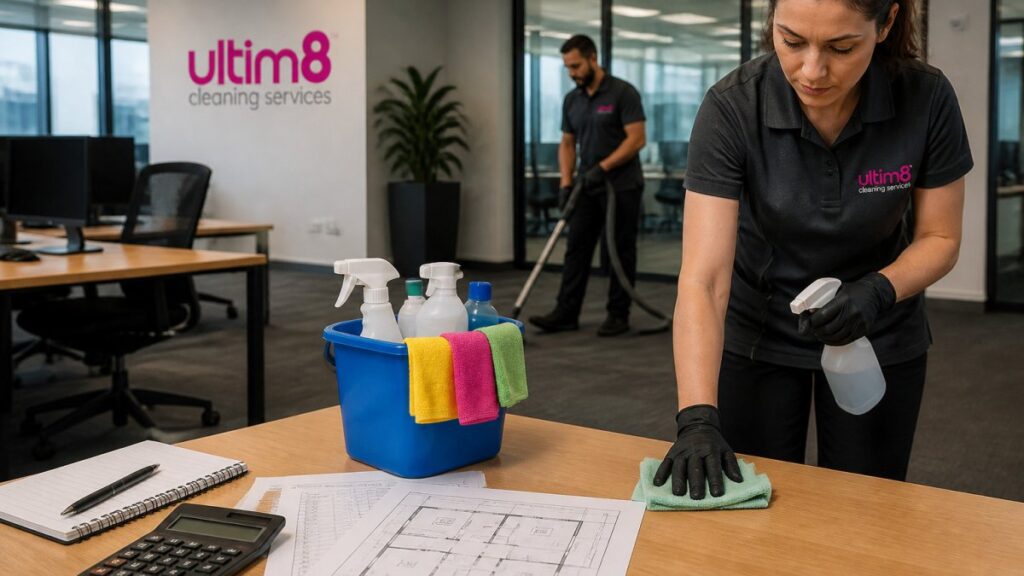
That’s the gap we fill. Ultim8 Cleaning Services sends insured, background-checked cleaners trained to work through detailed checklists. We use high-quality, environmentally safe products, and our instant online booking makes scheduling simple.
Before you book, it helps to know what’s covered. What Is Included in a Standard Office Cleaning Service? explains the scope, and How to Calculate Office Cleaning Costs Per Square Foot helps you estimate before you commit. When you’re ready, Office Cleaning Services in Clearwater: 2026 Guide has the details you need.
Our customers notice the difference. As Desiree McElroy put it, “She does such a great job and is very consistent.”
Frequently Asked Questions
Where should you start when decluttering a workspace?
Start with the desk surface, not the drawers. Remove everything that isn’t bolted down and place it on the floor or a side table. This gives you a clear work area and makes sorting easier. Then work in 20-minute blocks: rubbish first, then duplicates, then paperwork. A timer keeps you moving instead of stalling over individual items.
How often should you declutter your desk?
A full declutter every three to six months works for most people. In between, run a five-minute daily reset at the end of the workday and a 15-minute weekly tidy. If you share the space or handle a lot of paper, shorten the full cycle to quarterly. The goal is to catch buildup before it costs you focus.
What should you keep on your desk?
Keep only what you touch most days: a monitor, keyboard, mouse, notebook, pen, and your work calendar. Everything else belongs in a drawer, on a shelf, or in the bin. If you haven’t used an item in two weeks, it doesn’t need to sit within arm’s reach.
How do you organize digital files so they stay manageable?
Use one folder structure with a consistent naming convention, such as year, project, and document type. Delete duplicates and old drafts during the same session you clear your desk. Set a recurring calendar reminder to review downloads and desktop files monthly so digital clutter doesn’t rebuild.
The hardest part of decluttering isn’t the sorting. It’s keeping the space clean once the clutter is gone. That’s where a dependable cleaning team earns its place. Ultim8 Cleaning Services brings insured, background-checked cleaners, environmentally safe products, and instant online booking to every job, so your workspace stays reset without you managing it. Get started with Ultim8 Cleaning Services and reclaim the time you’d spend cleaning.